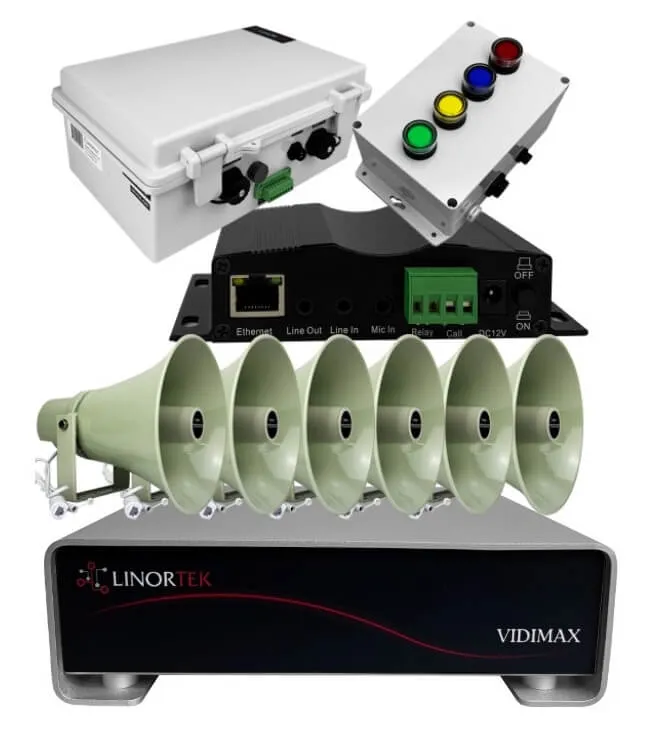
Most people think of the Netbell IP paging system purely as an audio solution — speakers in the ceiling, a mic station at the front desk, press a button and the announcement goes out. That’s the core of it. But what happens when the people in a particular zone need a visual alert, not just audio? Think of a noisy manufacturing floor, a loading dock, or a school hallway where students may not hear an overhead announcement clearly. That’s where the Netbell-AU-711 IP Audio Broadcast Terminal comes in — not as a speaker, but as a smart trigger for strobe lights.
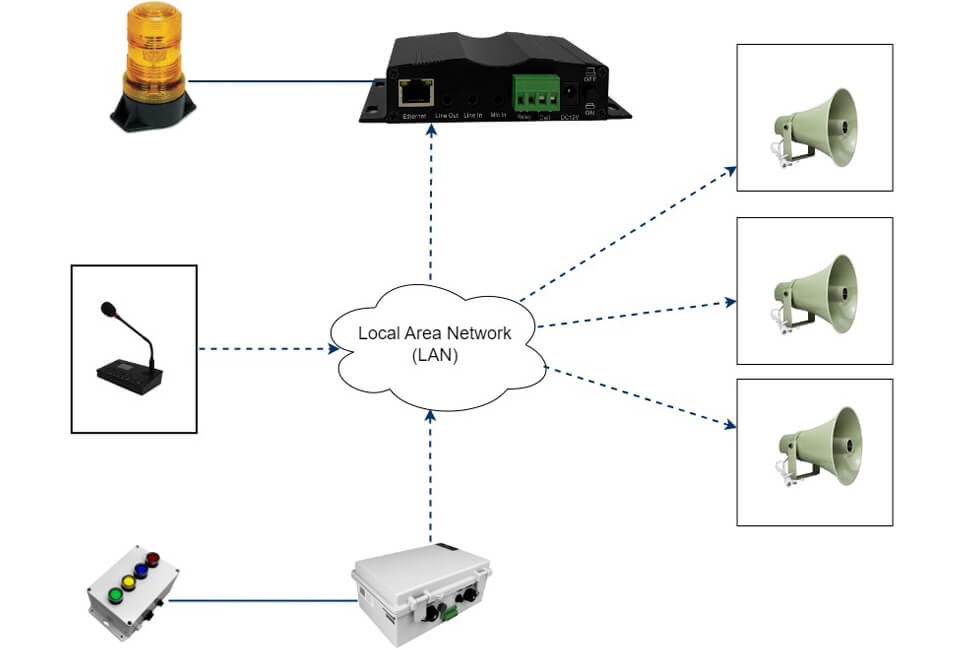
The Real-World Problem: A School Needs Zone-Specific Visual Alerts
We recently worked on a school project where the customer needed their IP paging system to do more than broadcast audio. The school has five zones, and whenever an announcement is made to a specific zone, they want a strobe light to flash in that zone — so students and staff get both a visible and audible alert at the same time.
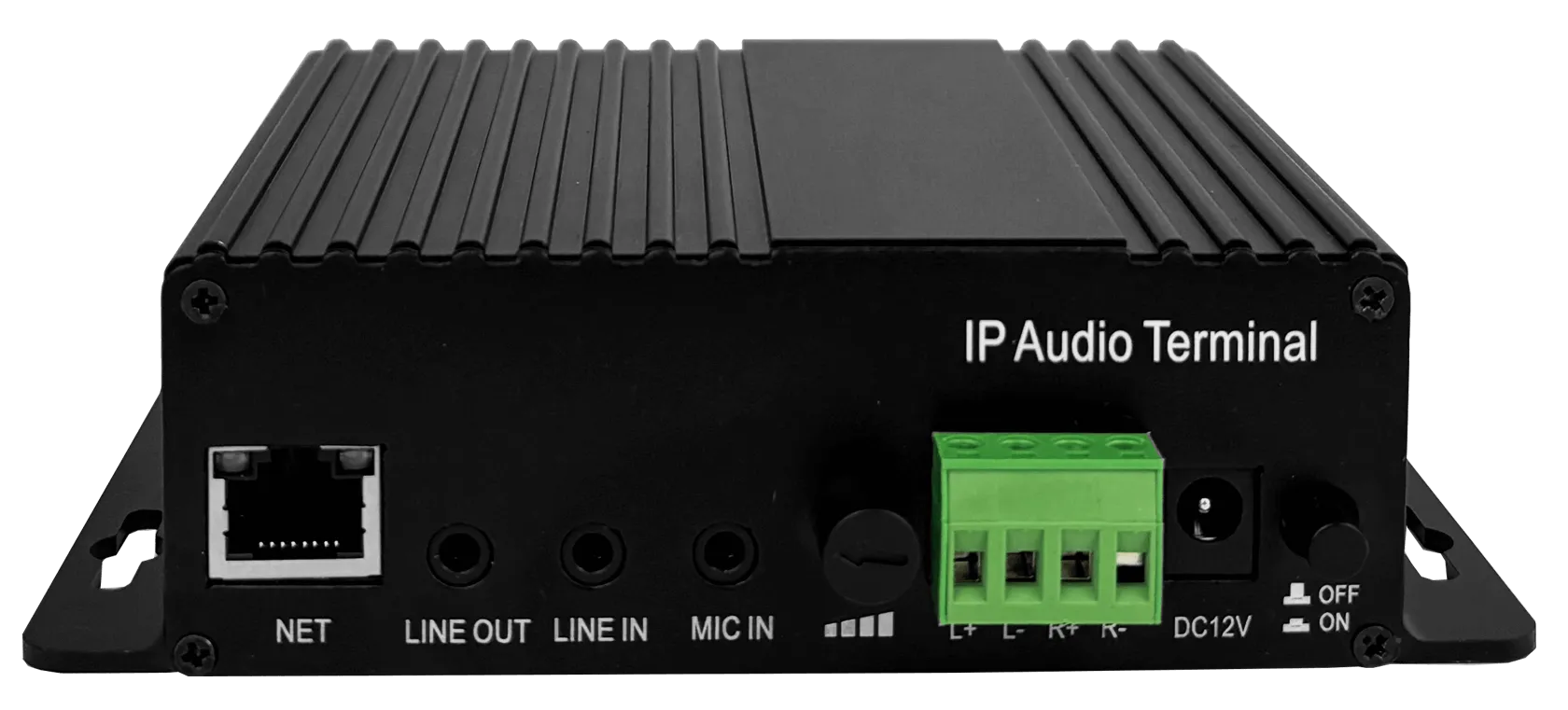
The challenge is straightforward: standard IP speakers don’t have relay outputs to control external devices like strobe lights. You need a device that sits on your IP network, joins your paging group, and closes a dry contact circuit the moment it receives a call. That device is the AU-711.
How It Works: The AU-711 as a Paging Endpoint with Relay Output
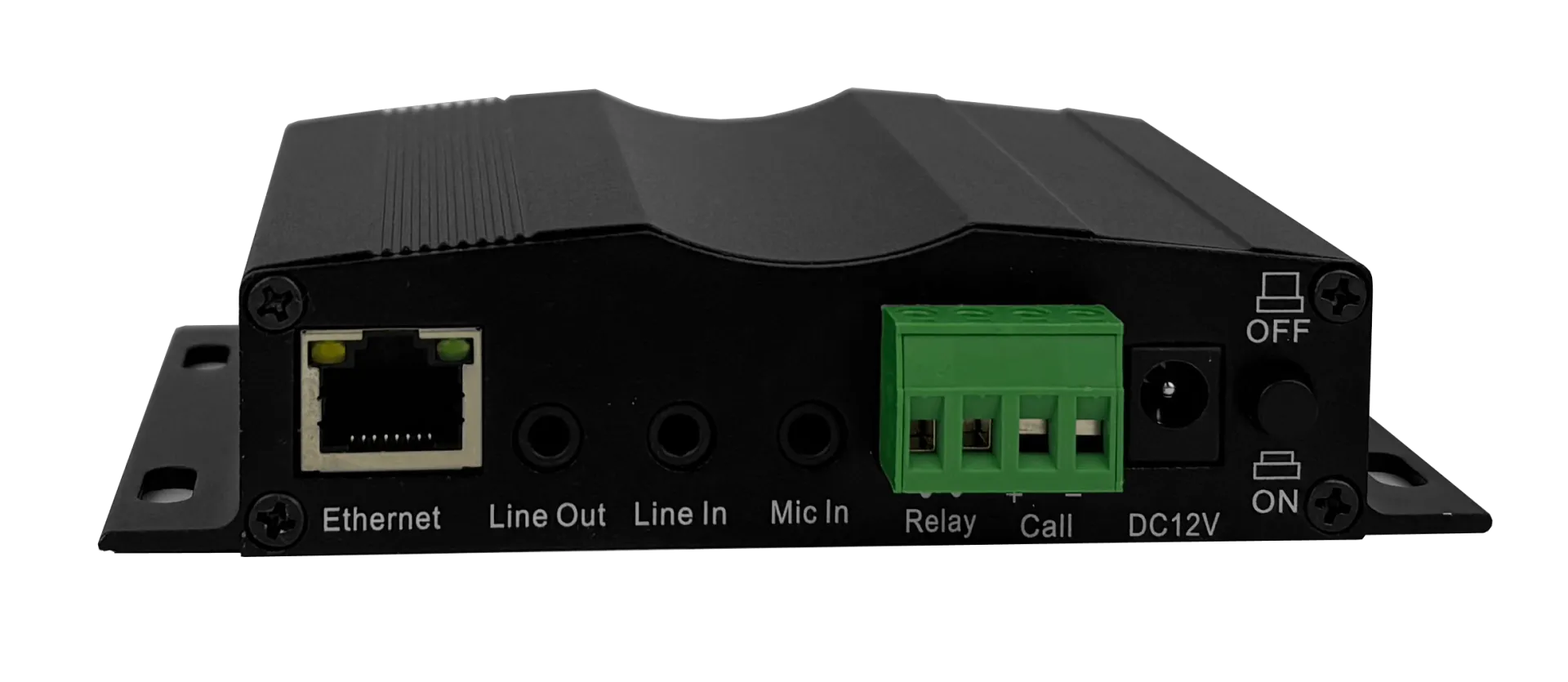
The AU-711 is an IP audio broadcast terminal designed to integrate external audio sources — including MP3 players for background music — into your Netbell paging network. It can also be used as an endpoint just like any other Netbell device: it has a network address, it joins broadcast groups, and it responds when called. But it also has a built-in relay rated for 250VAC @ 3A or 30VDC @ 3A. Every time the AU-711 receives a page — whether it’s a direct call or a group broadcast — that relay closes automatically and stays closed for the entire duration of the call.
Wiring a strobe light to it is simple. You wire the power supply’s positive wire (solid black) into one relay terminal, and the positive strobe light wire into the other relay terminal. The negative wires from the power supply and strobe light connect directly to each other, bypassing the relay. When the relay closes during a page, the circuit completes and the strobe activates. For AC-powered strobe lights, there’s no polarity to worry about — you just wire one AC terminal and one strobe wire to the relay terminals and join the other two together outside the relay. One AU-711 per strobe light, one 12VDC power adapter, and you’re done.
Setting Up Zone-Specific Strobe Triggers
For a multi-zone setup like the school project, the key is how you configure your paging groups in the NACT tool (Netbell’s network audio configuration software). Here’s the approach:
You create two separate paging groups — one for general announcements and one for emergency or zone-specific announcements. The general group includes all the IP speakers across all zones but no AU-711 units. The emergency group includes the speakers AND the AU-711 devices wired to strobe lights in the specific zones you want to alert.
When the person at the mic station selects the emergency group or a specific zone group, the page reaches both the speakers (audio) and the AU-711 units (strobe trigger) simultaneously. The light flashes for as long as the announcement lasts, then goes off automatically. No manual switching, no separate control panel, no additional software — it all runs through the same Netbell-MIC-608G or Netbell-MIC-813 mic station you’re already using.
For the school’s five-zone setup, you’d install one AU-711 per zone, wire each to a strobe light, and add each AU-711 to the appropriate zone group. When a zone gets paged, that zone’s strobe fires. It’s a clean, cost-effective way to add visual alerts without a separate notification system.
Why This Matters Beyond Schools
The combination of an IP paging system with strobe light triggers isn’t just a school solution. Any facility where noise levels, hearing accessibility, or line-of-sight communication is a concern can benefit from this setup — manufacturing plants, warehouses, distribution centers, gymnasiums, and auditoriums are all strong candidates.
If you’re running a Netbell IP paging system and want to add visual alerts to any zone, the AU-711 is likely the simplest path to get there. You’re not rewiring your whole system or adding a new controller — you’re adding one device per zone and updating a group in NACT. The existing mic station handles everything.
Have a project that needs zone-based strobe alerts or visual paging integration? Contact us or check out the Netbell-AU-711 product page to learn more.