


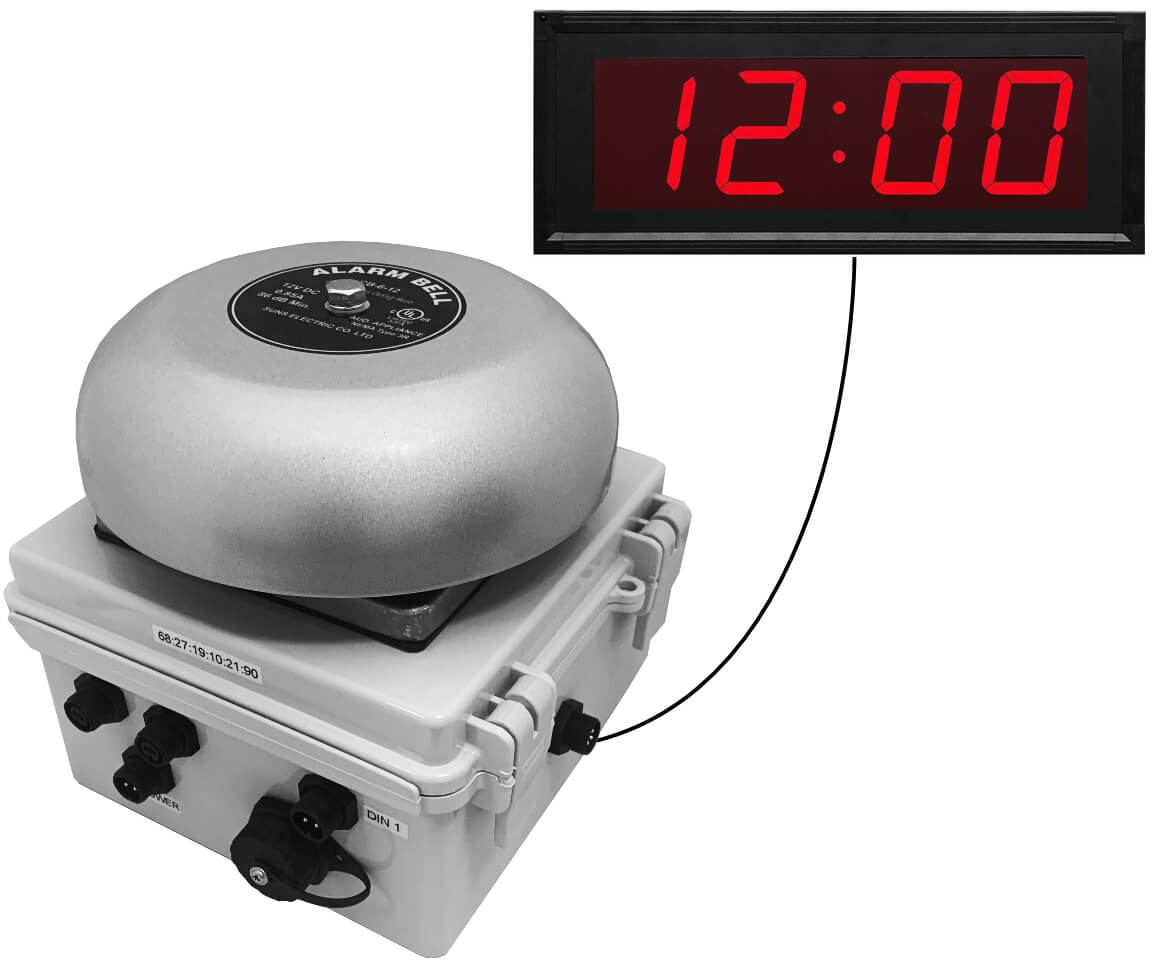
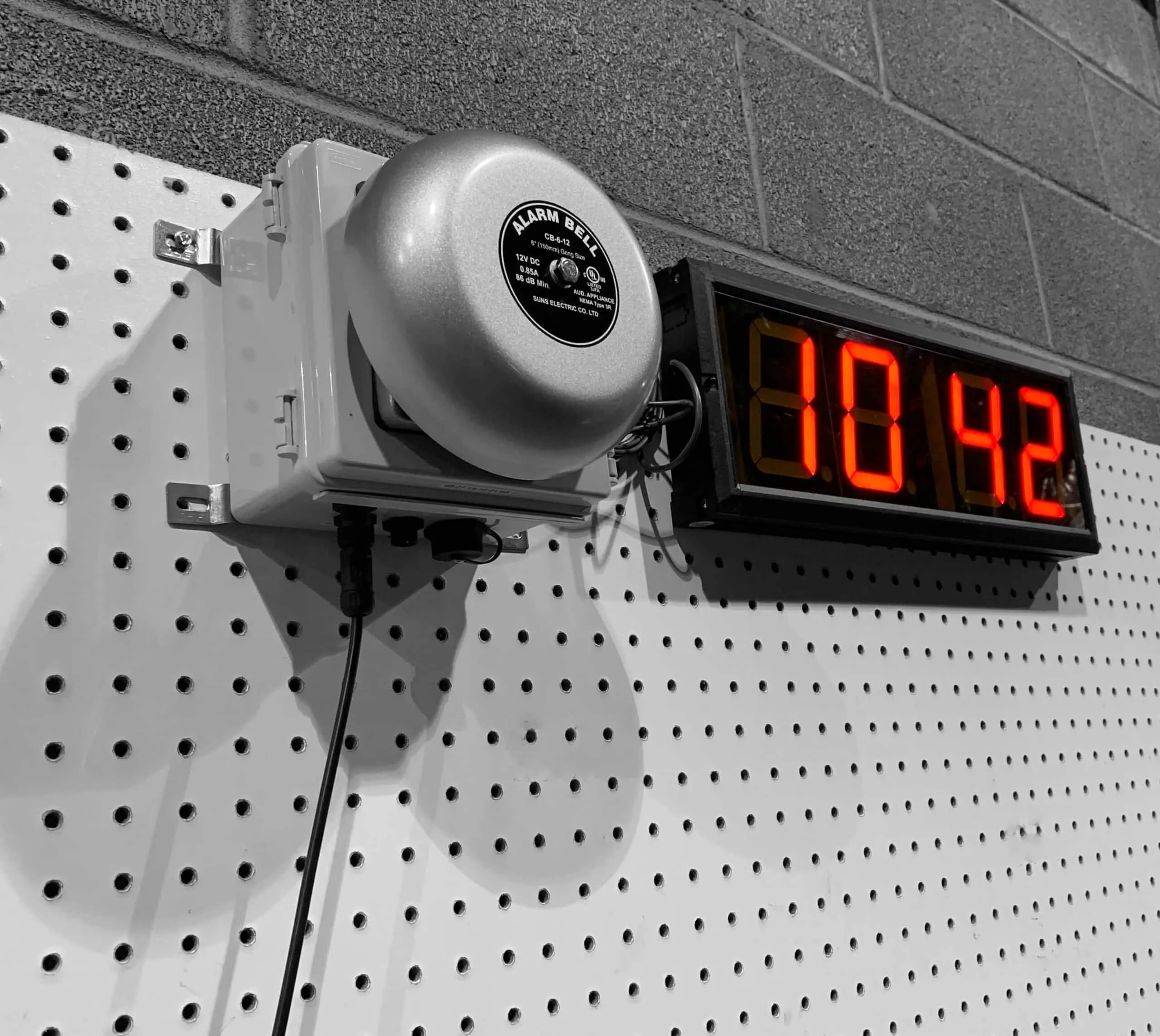


Overview
The Netbell-K is a network enabled bell system that is built on TCP/IP platform with a built-in web server and special software designed for scheduling a bell system over the network, all software and mounting hardware required for installation and operation are included. With the built-in web interface, you can access, control and schedule bells over a network or the Internet, no additional software or designated computer required. With the digital input, you can wire a push switch or integrate with 3rd party systems to ring the bell manually/automatically in an emergency. It’s an affordable, reliable way to replace an old bell timer with a modern school bell system.
The external bell outputs on the Netbell-K devices are dry contact, 1-Form-A relay 30VDC@8A, 48VAC@8A Max)) that can be used to connect external bells if you have a larger area needs to be covered.
Netbell-K (01-910-00013): The Netbell-K comes with a built-in 6 inch high output bell with one external output, that you can connect 1 additional bell to the system to cover a larger area. With the digital input, you can connect a push button to ring the bell manually for emergency.

Netbell-K-C (01-910-00005): The Netbell-K-C has all the features that the Netbell-K has and with an additional clock connector, that you can connect our digital clock to it and display the time on your Netbell software. The digital clock is a plug & play solution, no configuration required. Please note: you can ONLY connect one clock to a Netbell-K unit. If you need multiple clocks, please purchase our POE-IP clock.

Netbell-K-M2 (01-910-00036): The Netbell-K-M2 comes with a built-in 6 inch 86dBa bell with two external outputs, that you can connect 2 additional bells to the system to cover a larger area. With the digital input, you can connect a push button to ring the bell manually for emergency.

Netbell-K-M2-C (01-910-00071): The Netbell-K-M2-C has all the features that the Netbell-K-M2 has and with an additional digital clock, that you can plug it to the clock output to it and display the time on your Netbell software. The digital clock is a plug & play solution, no configuration required. Please note: you can ONLY connect one clock to a Netbell-K-M2 unit. If you need multiple clocks, please purchase our POE-IP clock.

Netbell-K-E1 (01-910-00045): The Netbell-K-E1 comes with a Netbell-K and one external bell that can be used to cover up to 16,000 sq.ft area in total. Using 18AWG 2-conductor speaker wires, you can connect the external bell at 500 ft away from the Netbell-K. The kit comes with everything needed to connect and setup the system.

Netbell-K-E1-C (01-910-00034): The Netbell-K-E1-C comes with everything that the Netbell-K-E1 has, and with an additional 4-in digital clock, that you can plug it to the clock output and display the time on your Netbell software. The digital clock is a plug & play solution, no configuration required. Please note: you can ONLY connect one clock to a Netbell-K unit. If you need multiple clocks, please purchase our POE-IP clock.

Netbell-K-E2M (01-910-00052): The Netbell-K-E2M comes with a Netbell-K-M2 and two external bells that can be used to cover up to 24,000 sq.ft area in total. Using 18AWG 2-conductor speaker wires, you can connect the external bells at 500 ft away from the Netbell-K. The kit comes with everything needed to connect and setup the system.

Netbell-K-E2M-C (01-910-00084): The Netbell-K-E2M-C comes with everything that the Netbell-K-E2M has, and with an additional 4-in digital clock, that you can plug it to the clock output and display the time on your Netbell software. The digital clock is a plug & play solution, no configuration required. Please note: you can ONLY connect one clock to a Netbell-K-M2 unit. If you need multiple clocks, please purchase our POE-IP clock.

Netbell-K External Bell (01-910-00038): The Netbell-K external bell includes a high quality loud bell, a weatherproof backbox and a bell cable with a CP connector that provides quick connect/disconnect the bell to the Netbell-K external relay output. The external bell can be connected at 250 feet away with 18AWG cable (500 feet with 16AWG cable) to the Netbell-K server.

4″ LED Digital Clock (01-880-00028): You can connect this LED digital clock to the Netbell-K server directly. With the large, bright 4 inch tall digits, the clocks are easily visible up to 250ft, It’s an ideal solution for any organization that needs reliable time for both the break bell and a clock for factories, schools and industrial facilities. It’s a plug & play solution, no configuration needed, no additional power supply required, it will be powered by the Netbell server. Please note: you can only connect one clock to the Netbell Server. If you need multiple clocks, please order the POE-IP standalone clock.

Emergency Palm Push Button: You can connect this switch to the digital input to activate the bell manually if needed. There are two action types of palm switch – Maintained and Momentary. Please select which action type you prefer when you place your order.


